
PowerTools Suite
Ten native Divi 5 tools. One powerful Divi 5 suite in a single plugin.
SpotEdit | TemplateTruth | LoopLogic | SEO DesignAudit | Layout VersionControl | PowerPort | FormulaBot | DealVault | RSVPify | LabelWise | Pricing
"If you build for clients, these essential Divi agency tools stop the usual tickets: the wrong header, a loop that stamps every card the same, a staff login that breaks the grid, an edit you cannot roll back. As complete Divi web design tools, they ensure the wrong header or layout never breaks the grid.
If you run the site yourself, the same plugin puts quotes, coupons, RSVPs, and a barcode check on the page, and gives the bar or shop a simple way for staff to change tonight’s special without opening Divi.
Protect The Build
Curate client editing access without loading the visual builder or risking layout breaks
Staff need to change tonight’s menu, special, the headline, or a photo. They do not need the Visual Builder — and you should not have to babysit every edit.
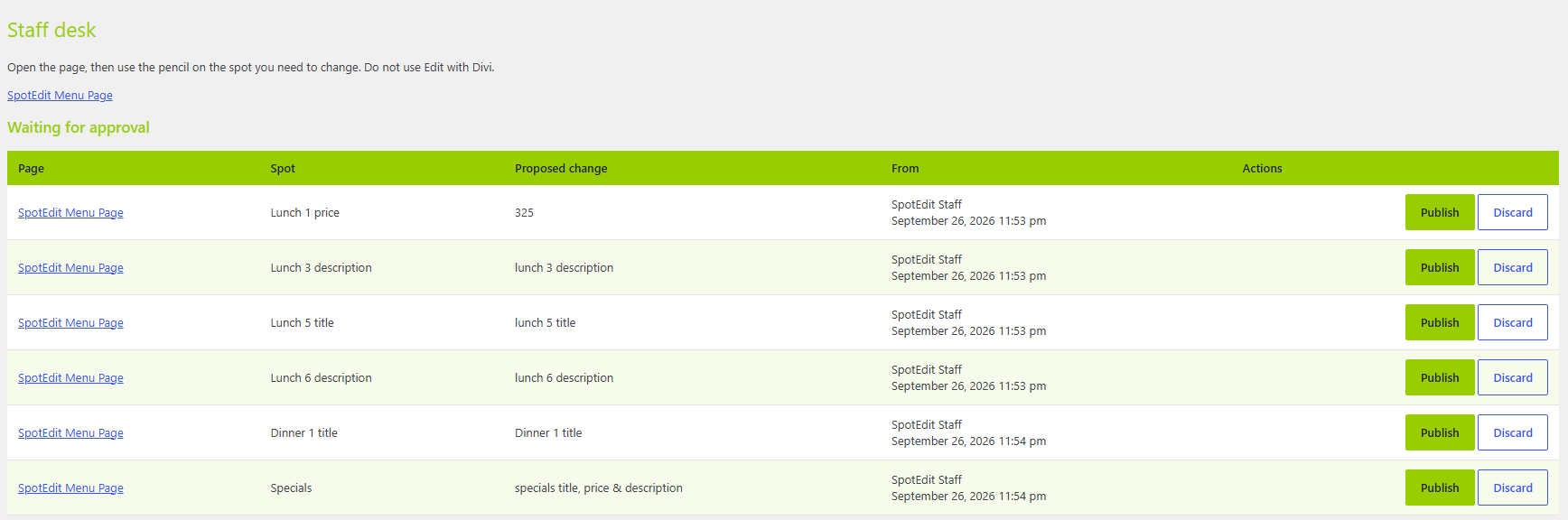
SpotEdit puts a QuickEdit form on the live front end for the bits you marked. Structure stays locked. Staff see a pencil on editable areas, type the update, and leave the grid alone. Managers review changes in Staff Desk and approve or discard before anything goes public.
The Live Test Sandbox on this page is the real handoff: log in as Staff to feel the minimal forms, then as Manager to open Staff Desk (top left) and approve or discard. Credentials are on the page — try it before you hand a client the keys.
You get front-end QuickEdit block with structure locked, Manager Staff Desk to approve or discard, and live Staff / Manager demos right here so you can walk the workflow before you sell it.
Choose recent layouts, check which elements you want staff to be allowed to edit and whether it requires approval. Manager sees clean dashboard of edits to publish or discard. Layout and design remain intact and safe.
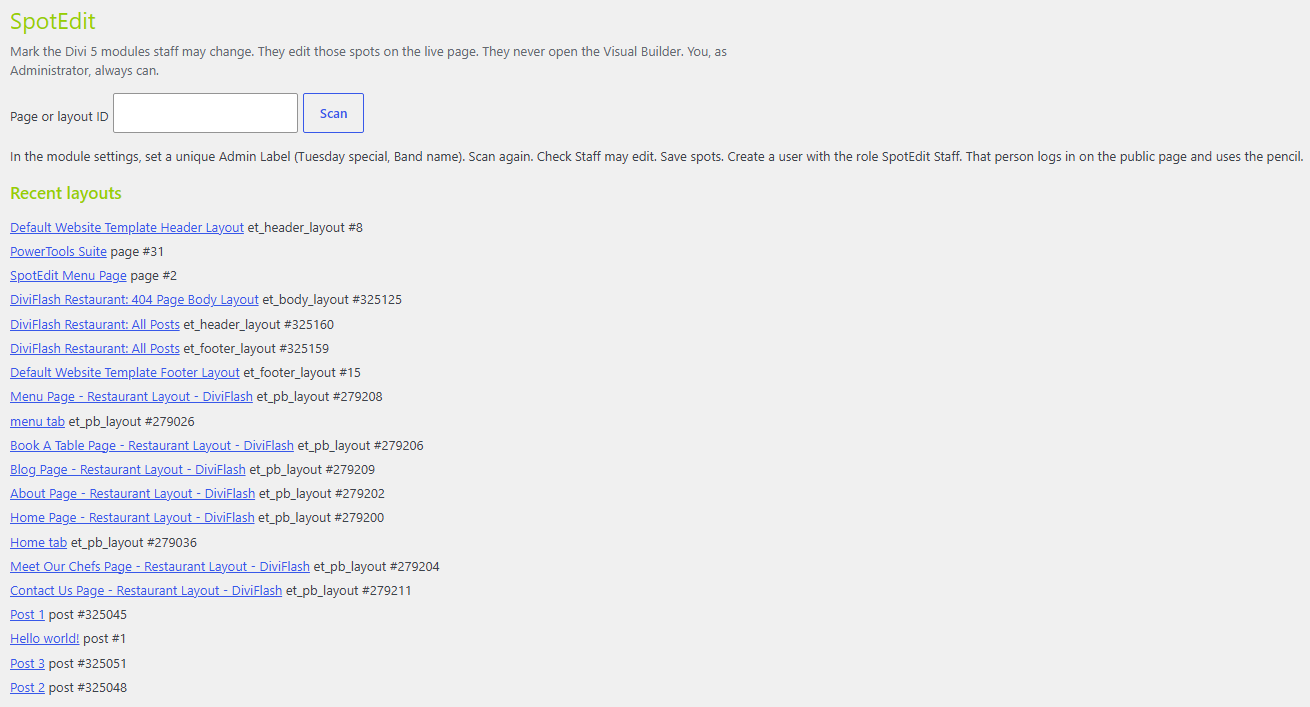
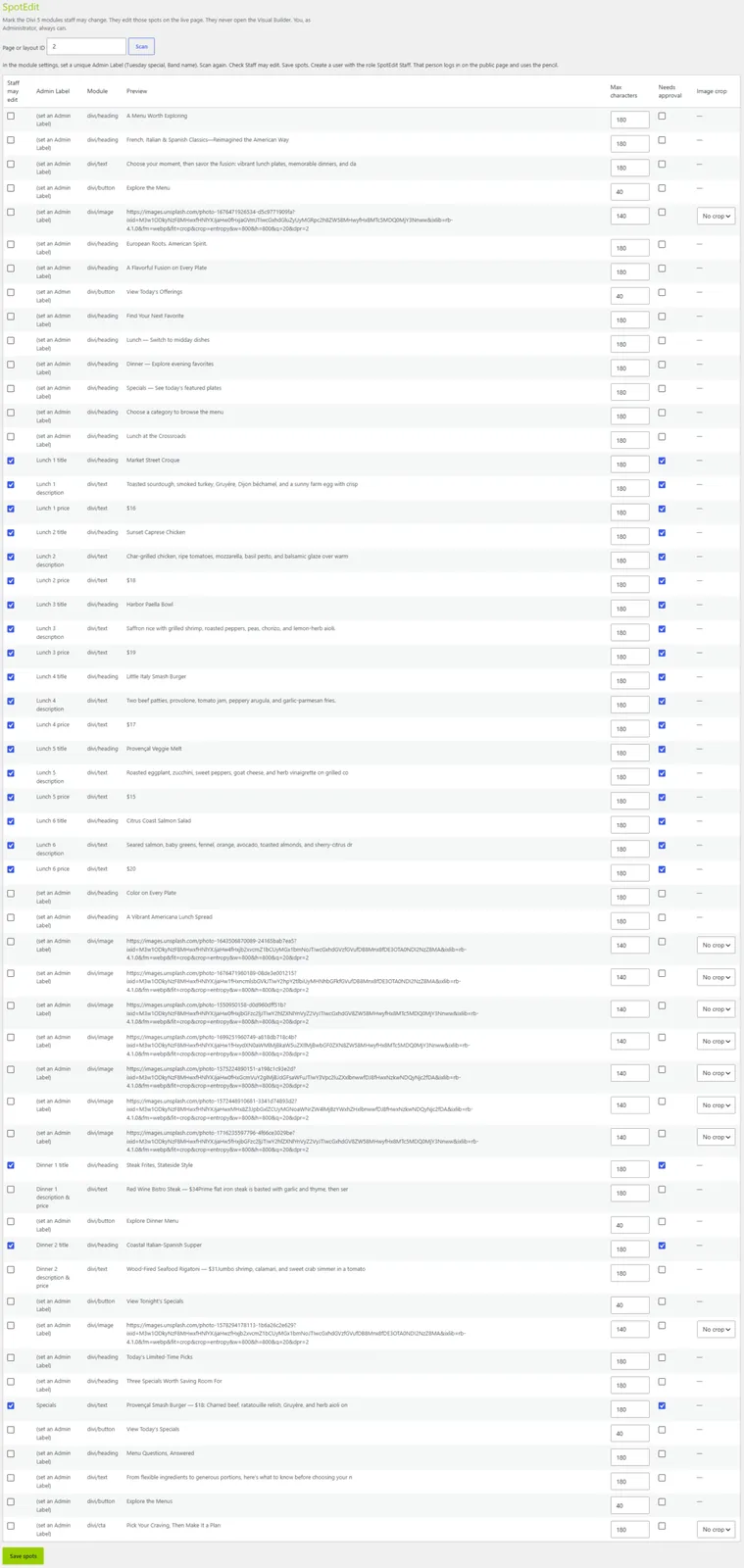
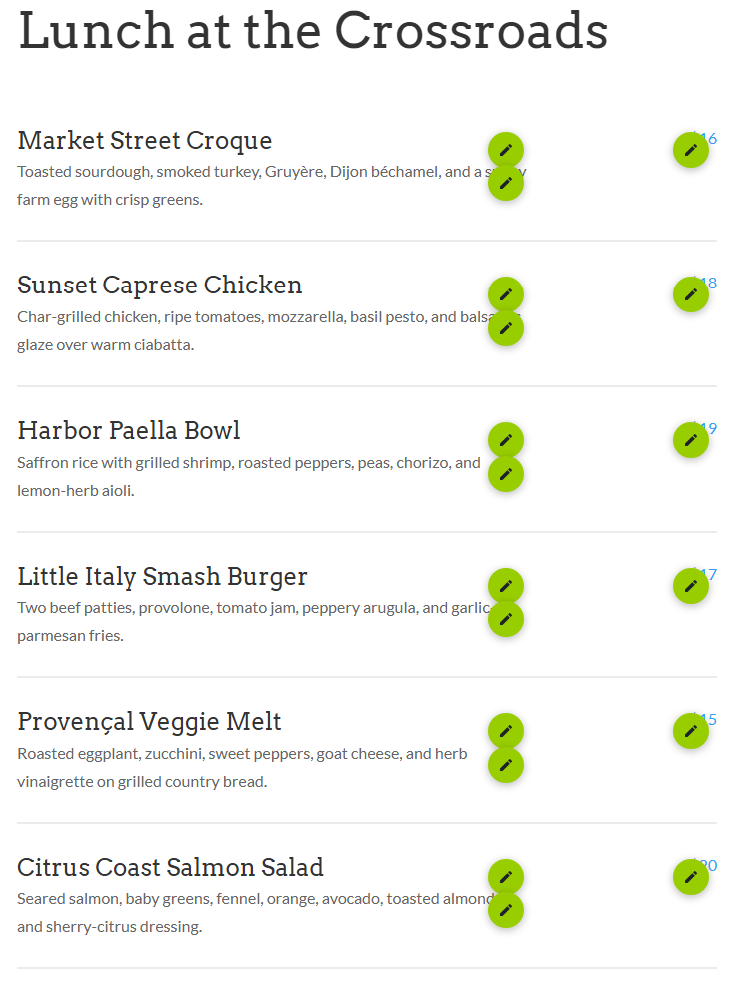
When staff log in, they see a pencil icon for editable areas. Clean edit interface opens to input new info, layout stays safe.
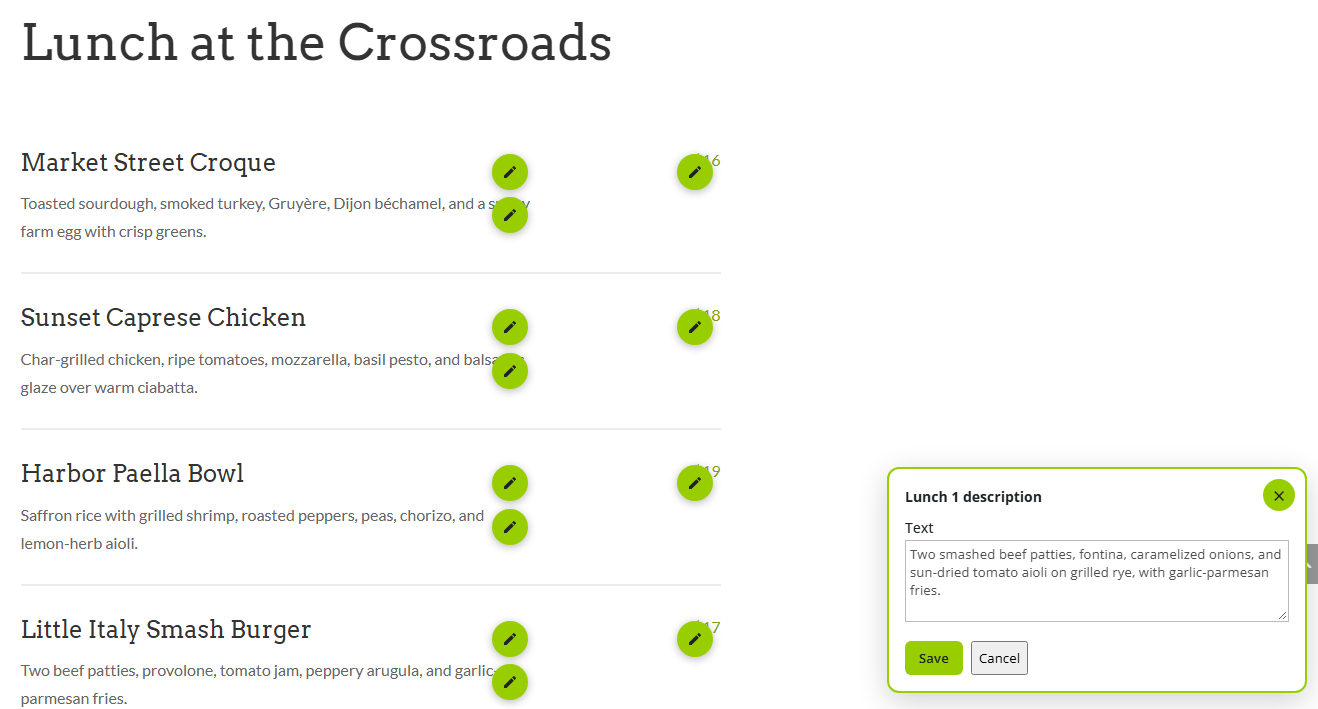
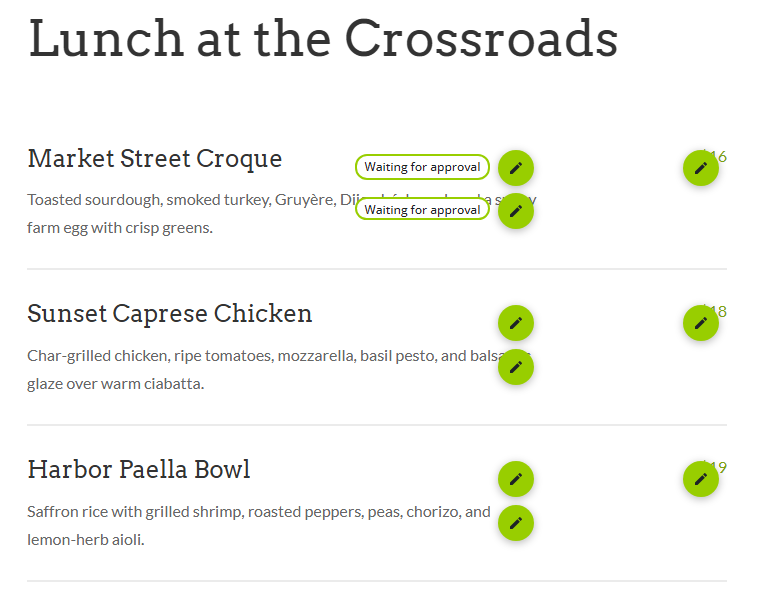
Live Test Sandbox Mode:
Experience the white-glove handoff workflow right now.
Login as Staff: Experience the minimal editing forms.
SpotEdit Staff / spoteditdemostaff2026!
Login as Manager: Review, approve, or discard changes.
Click 'Staff Desk' on the top left of the screen to review and approve/discard changes from staff.
SpotEdit Manager / spoteditmanager2026!
Resolve conditional template conflicts with a single click
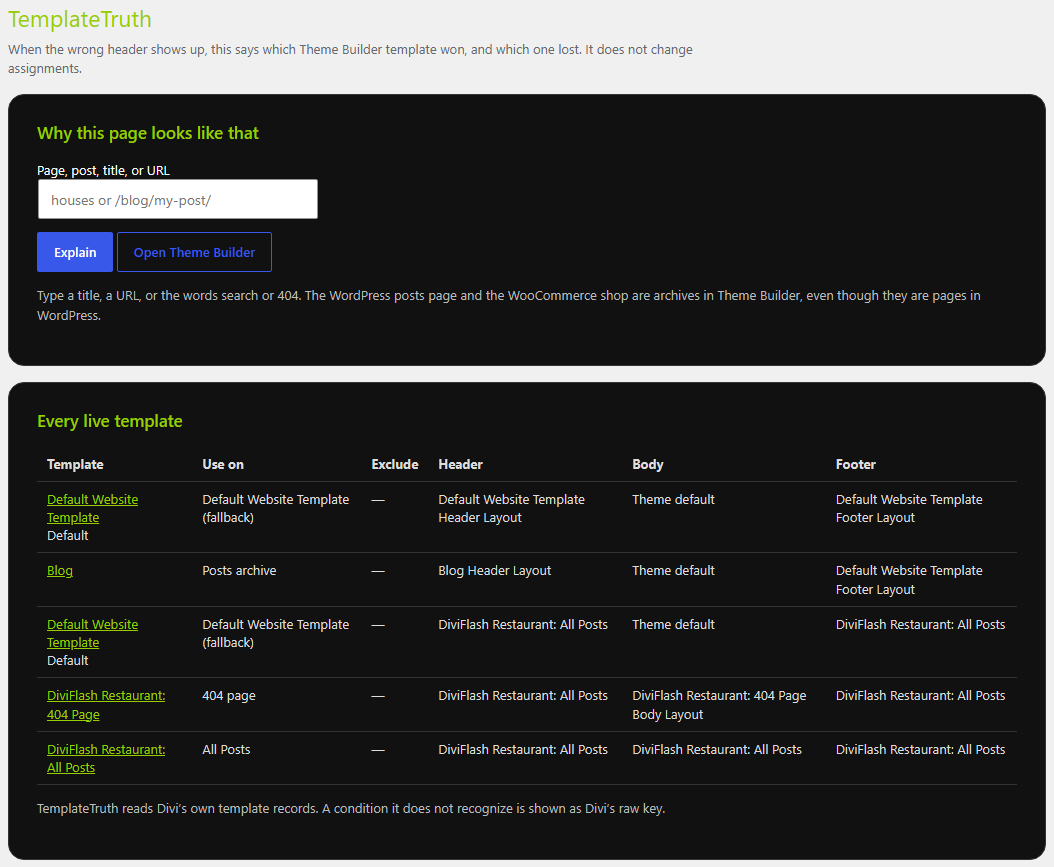
On a busy Divi site, more than one Theme Builder template can look “active.” The wrong header or footer wins, and you dig through Theme Builder guessing which one actually runs on that URL.
TemplateTruth shows what is really assigned — header, body, and footer — so you see the winning layout and what else could match. It is assignment clarity, not a redesign of Theme Builder. You fix the right template instead of rewriting the wrong one.
Check in Theme Builder and view the report in PowerTools admin when a client swears the custom header should be live and the page still shows the old one.
You get a clean report of header / body / footer assignments and enough signal to stop chasing the wrong template.
Headers, bodies, footers in the Divi Theme Builder
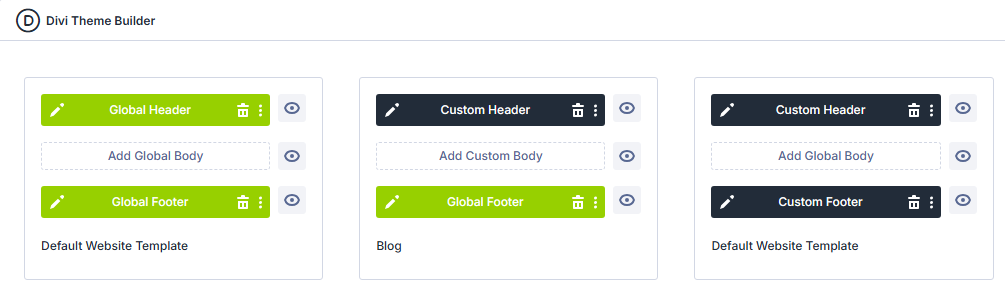
TemplateTruth shows you what element is assigned where and displays in a clean, organized report
Rules that follow the card, not the page
Native Divi 5 loops apply the same treatment across the row. Sale badge on every card. Featured state on every card. One ACF value means one design for the whole loop — unless you write custom PHP.
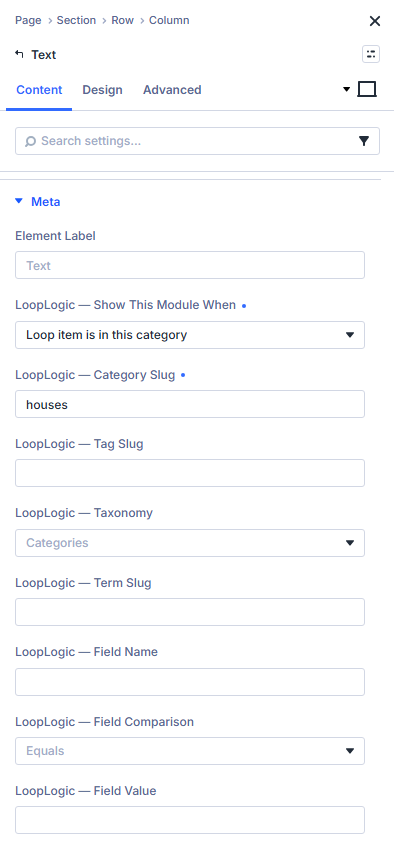
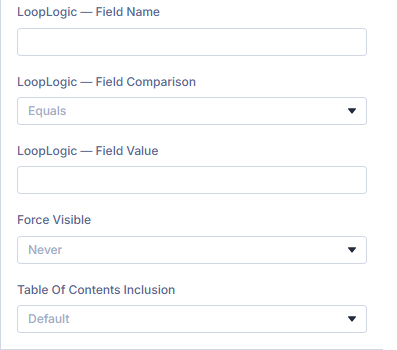
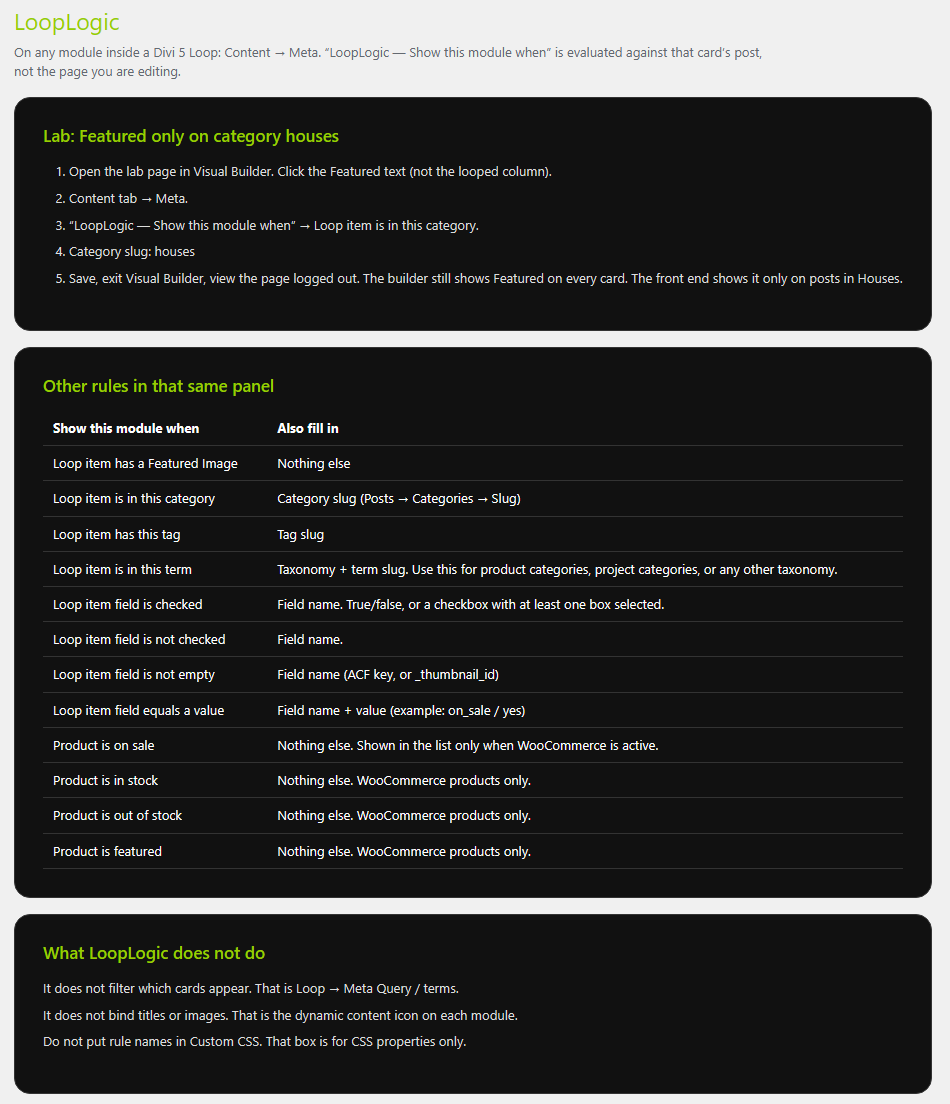
LoopLogic evaluates per card inside the loop. That slot can show a badge, wrapper, or state based on that item’s data — sale, category, field filled, tag, out of stock, and similar — without stamping the whole row.
Set it under Content → Meta. PowerTools lists the LoopLogic you have set up so you can review it without hunting modules.
You get per-card rules inside Divi 5 loops and design states that follow the item, not the page.
LoopLogic options under Content > Meta
PowerTools finds and displays all LoopLogic you've set up and displays it for you
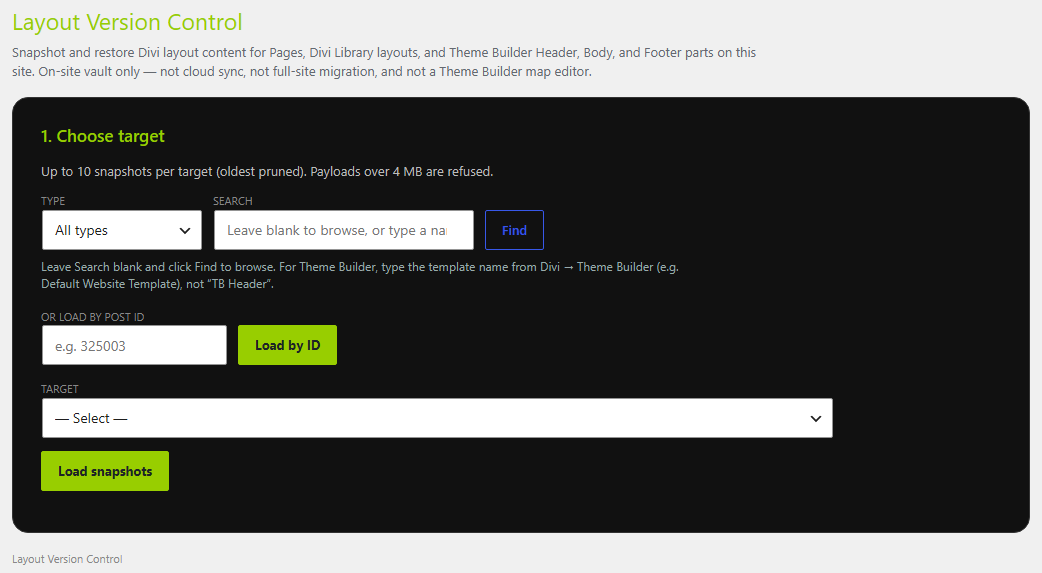
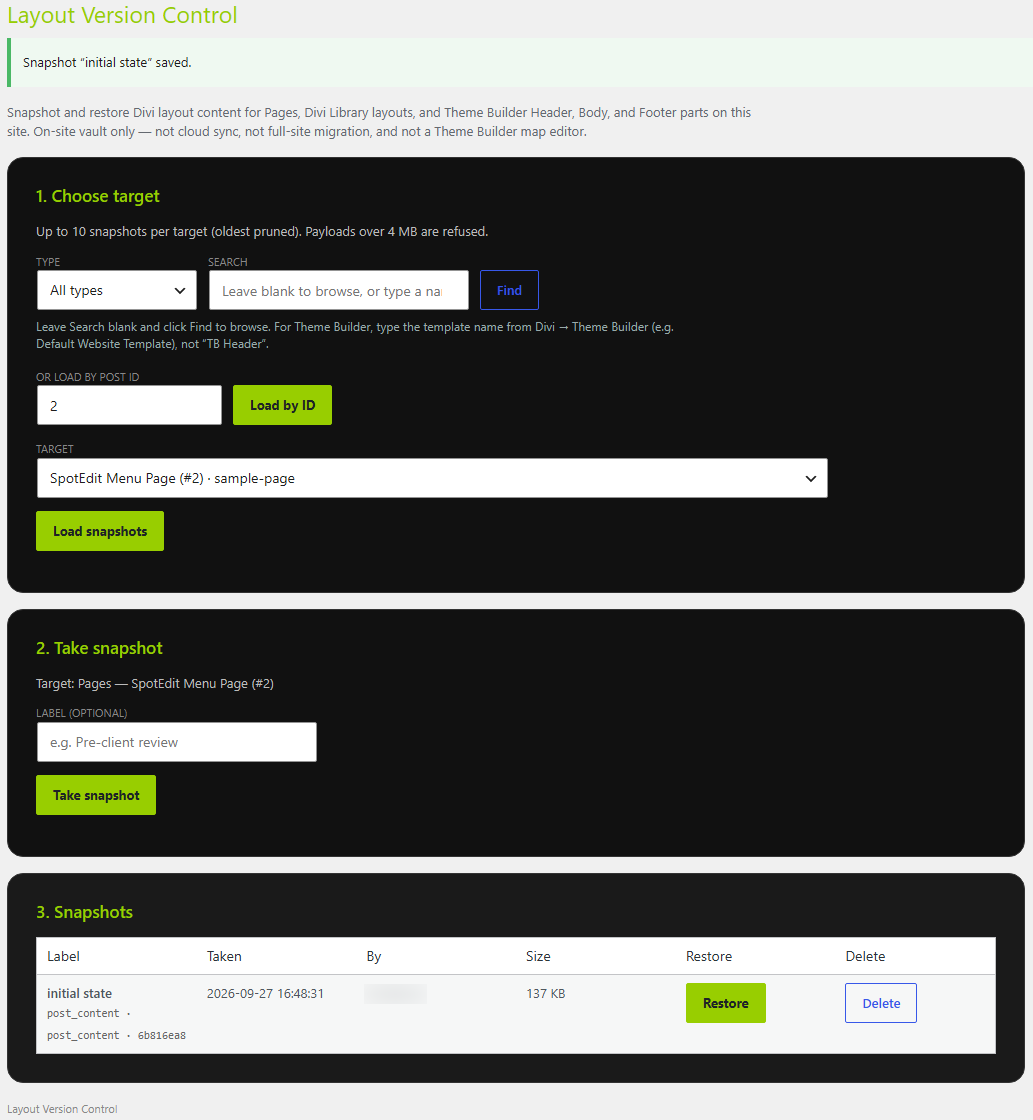
Lightweight, physical layout snapshots stored securely on your server
Hosting restore points and cloud backups are the wrong tool when you only need to undo one ruined page or Theme Builder piece. You want a snapshot on this server, titled clearly, that you can find again.
Layout VersionControl stores compact layout snapshots in admin for Pages, Library items, and Theme Builder header · body · footer. Search by title, slug, or ID. Confirm before restore so a rollback is deliberate, not a panic click.
Take a snapshot before a big edit. If the layout goes sideways, restore the one you named — not last Tuesday’s full hosting backup.
You get admin snapshots for Pages / Library / Theme Builder Headers·Bodies·Footers, search by title / slug / ID, and a confirm step before restore.
You choose the type: header, body, footer, layout, page, post. Take your snapshot before applying changes. VersionControl saves those snapshots and safely rolls back changes -taking a safety snapshot before doing so.
A visual on-page SEO scanner built directly into your design workspace
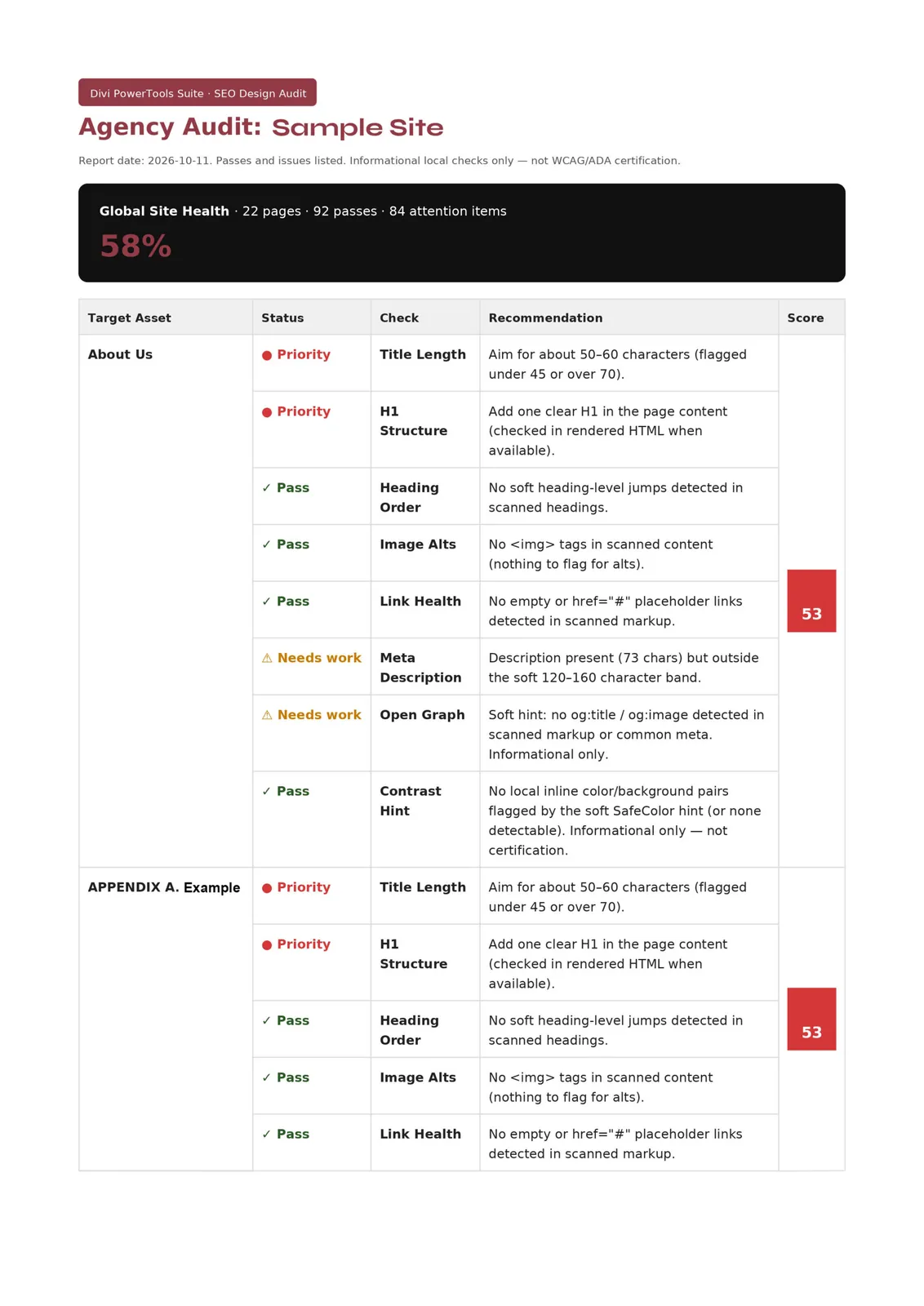
You do not need another third-party SEO wall after the layout ships. You need a Divi-aware check in admin: headings, alts, structure — with a score you can show in a meeting.
SEO DesignAudit runs local checks on the page and gives you a score chart plus a downloadable PDF. It lives in the admin area. It is not a live tracking grid inside the Visual Builder, and it is not a pitch for an external SEO API.
Run it before handoff. Hand the PDF to the client. Fix what the chart flags while you still have the layout open in your own workflow.
You get an admin audit with a score chart, a PDF for client handoff, and local Divi-aware checks — grounded in what is on the page, not a builder overlay.
SEO DesignAudit report in the admin area. Clean, thorough, easy for clients to understand.
PowerTools finds and displays all LoopLogic you've set up and displays it for you
Bring the Work in, then Earn
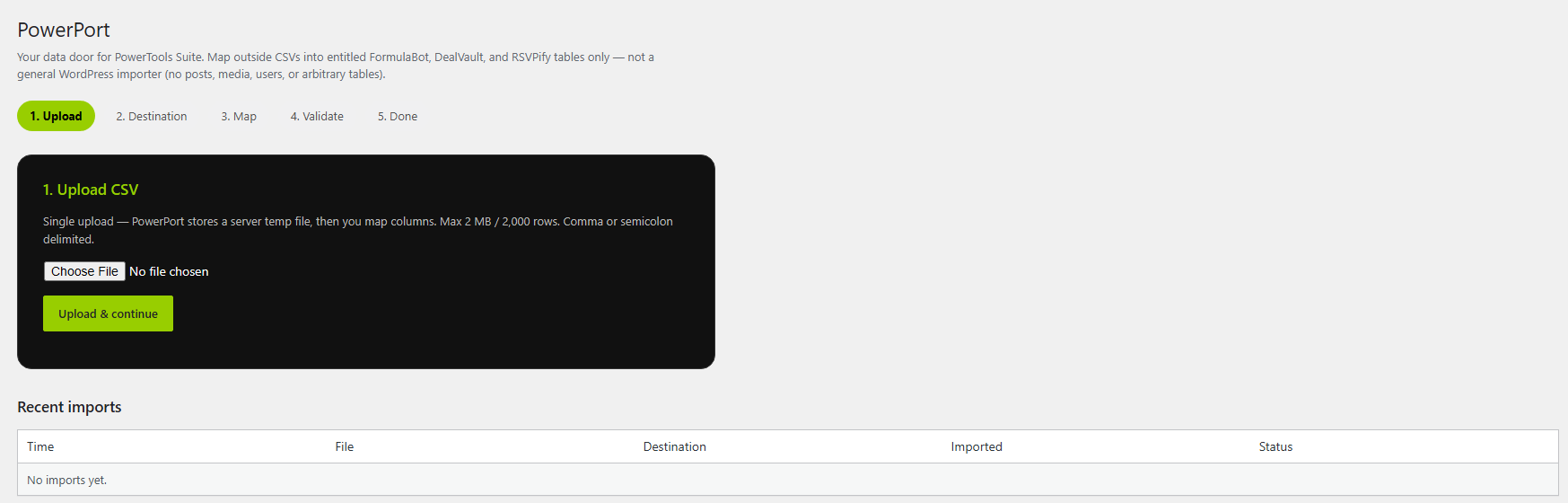
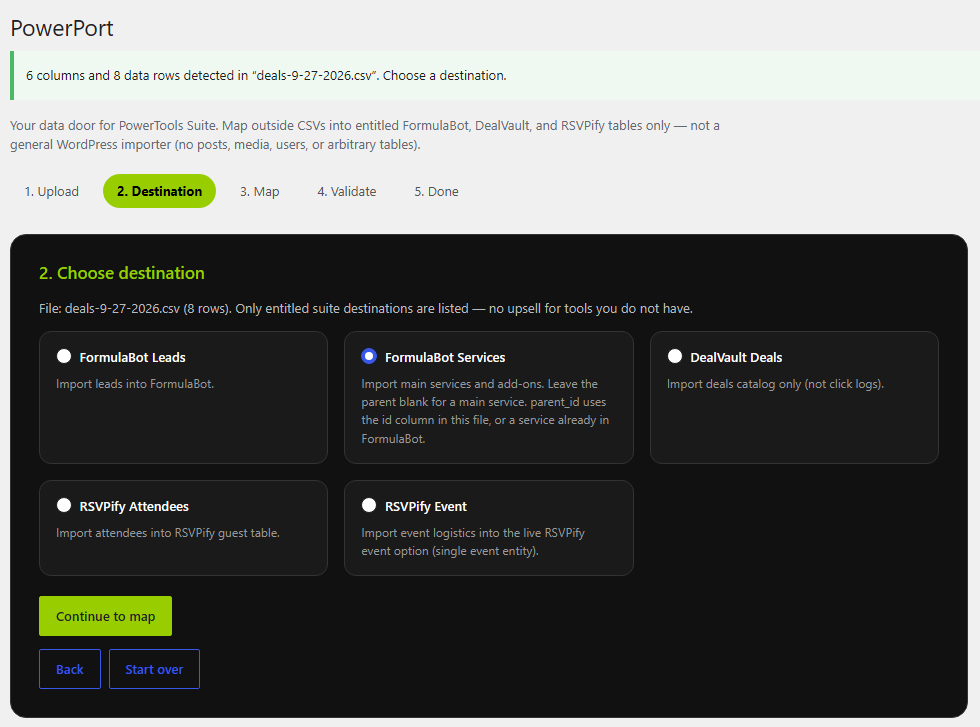
The CSV data importer with intelligent column mapping into PowerTools
PowerPort is not a general WordPress importer. It is a guided CSV path into PowerTools tables only: DealVault deals, FormulaBot nested services/product bundles and leads, and RSVPify events and attendees.
You map columns in a wizard with a progress bar, land the rows in the tool you own, and stay on PowerPort with dismissible success, a soft undo, and view links. Tools you have not purchased stay hidden so the screen only shows what you can import into.
If the guest list or deal sheet already lives in a spreadsheet, bring it in once instead of retyping into the suite.
You get a wizard with column mapping, undo and stay-on-PowerPort results, and imports limited to DealVault, FormulaBot + RSVPify — by design.
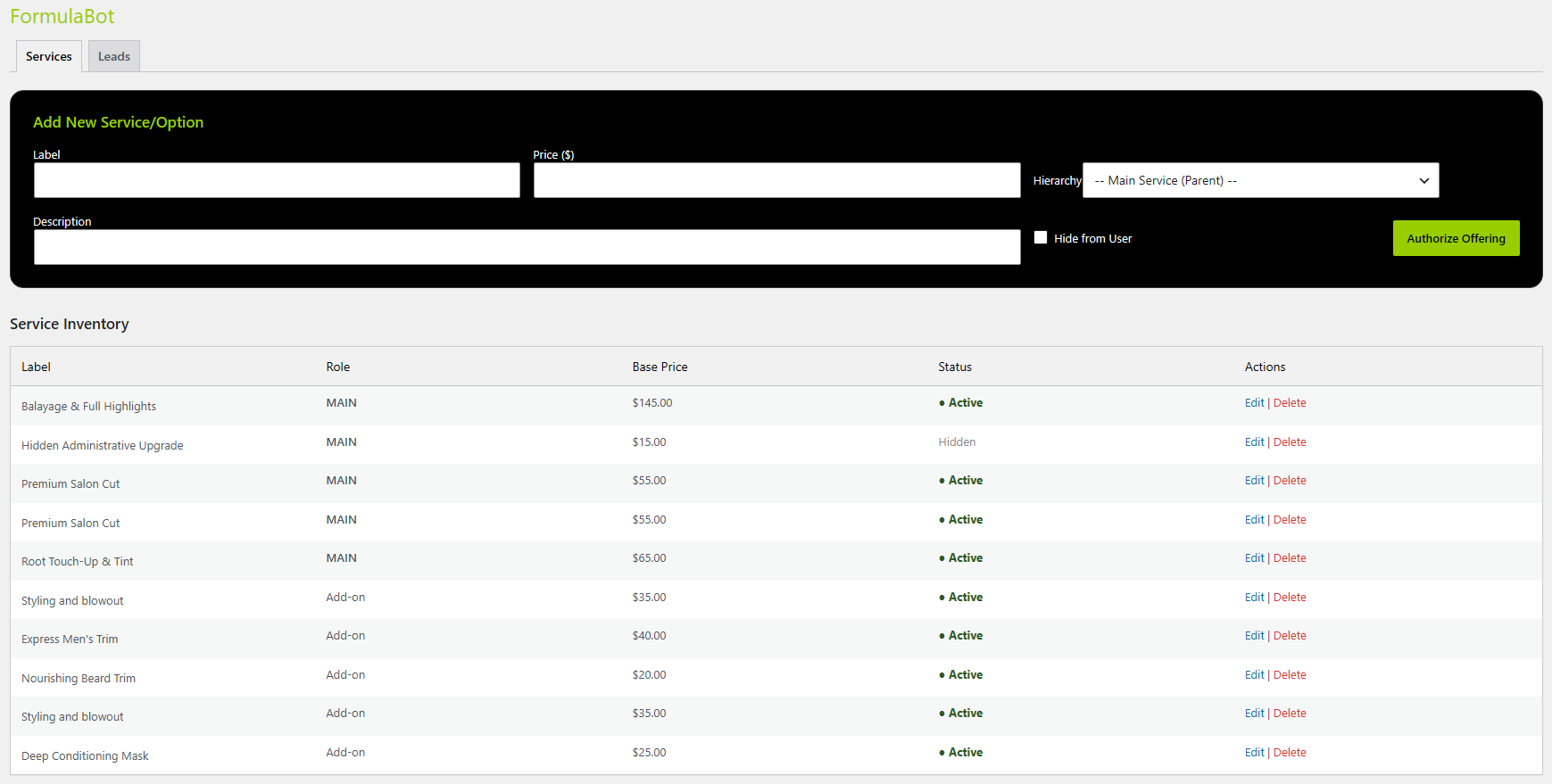
Five steps to import your info directly into the PowerTools
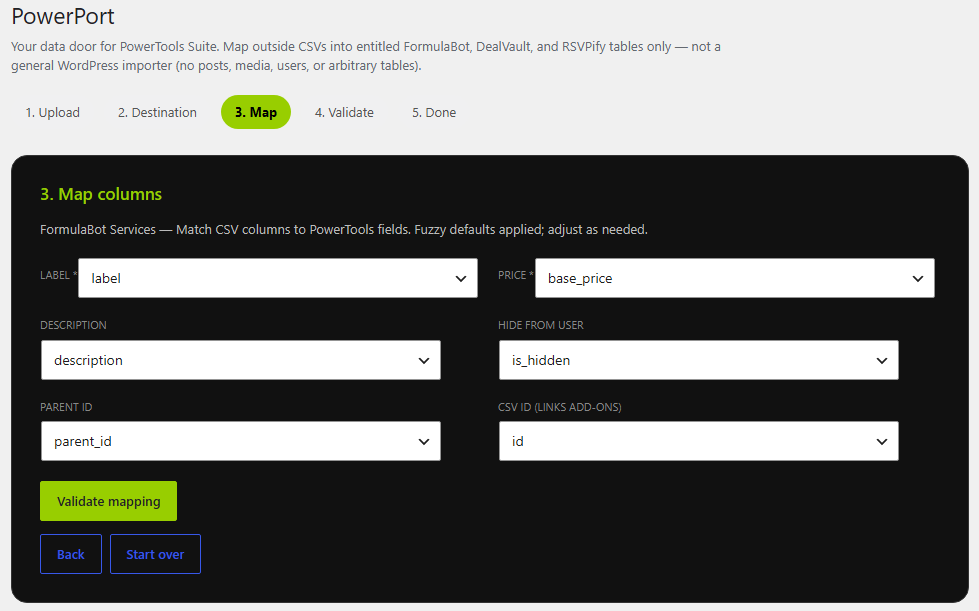
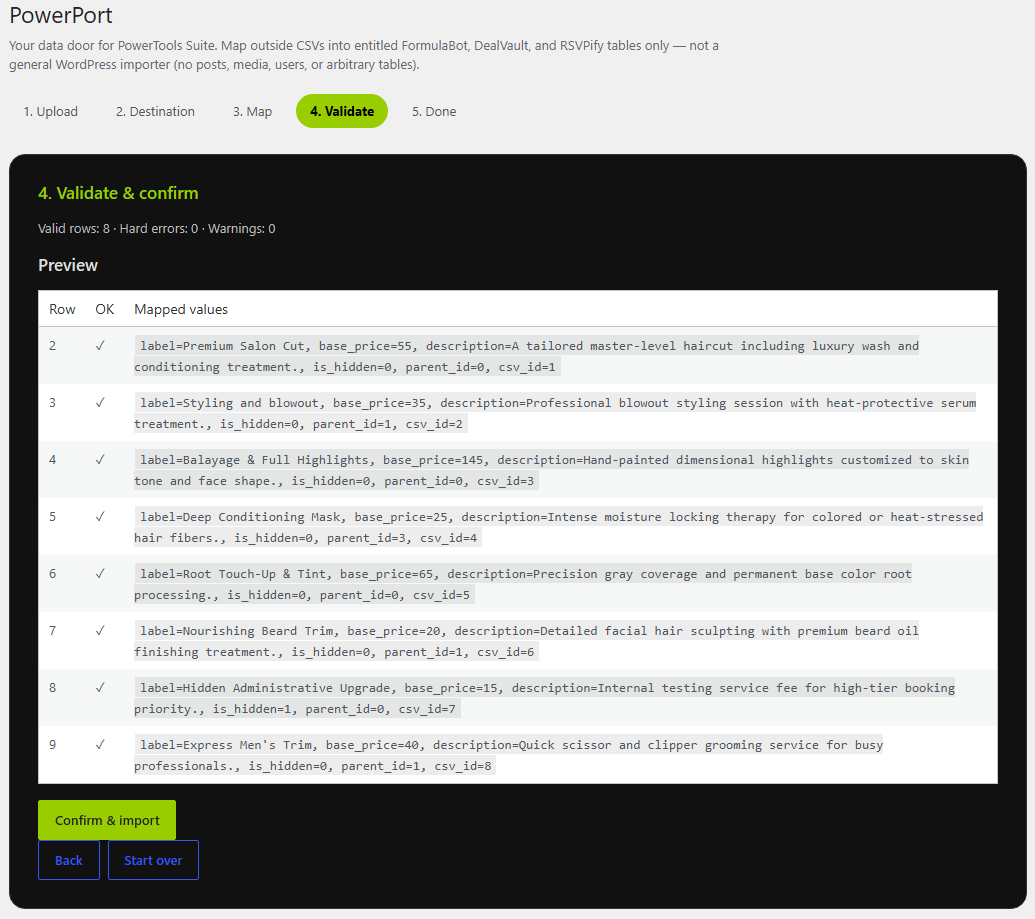
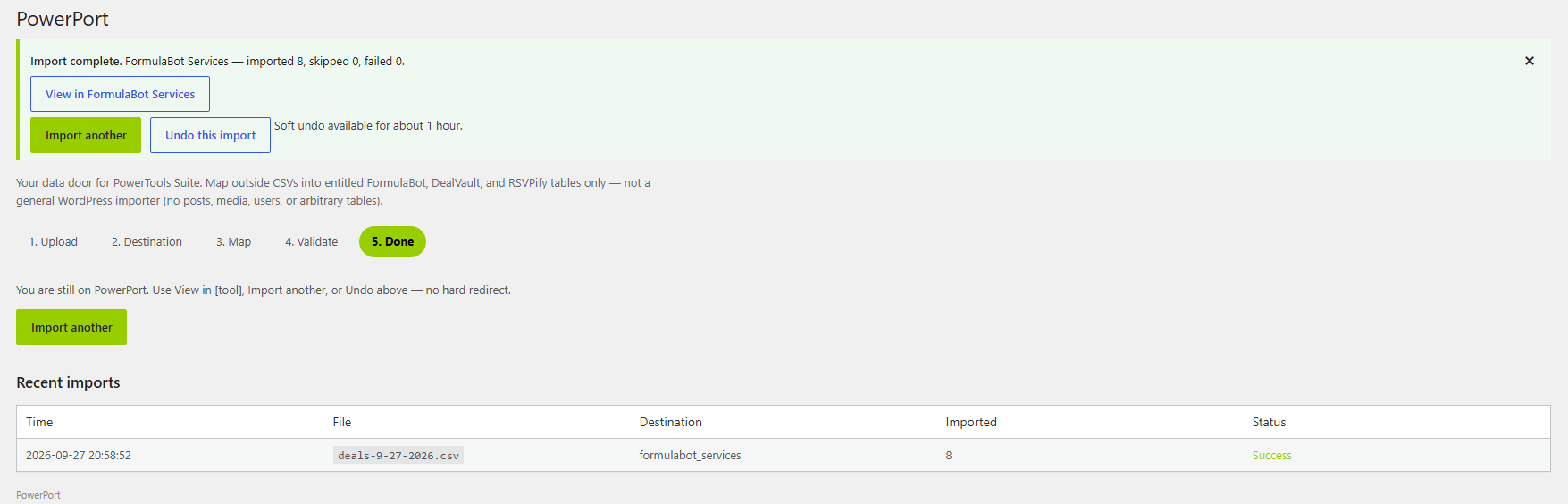
Your imported data is added to the tool and is displayed in rows.
A no-code quote calculation module that generates premium client leads
Clients ask “what does it cost?” Form plugins can do math, but the result often looks foreign to the design system you just built.
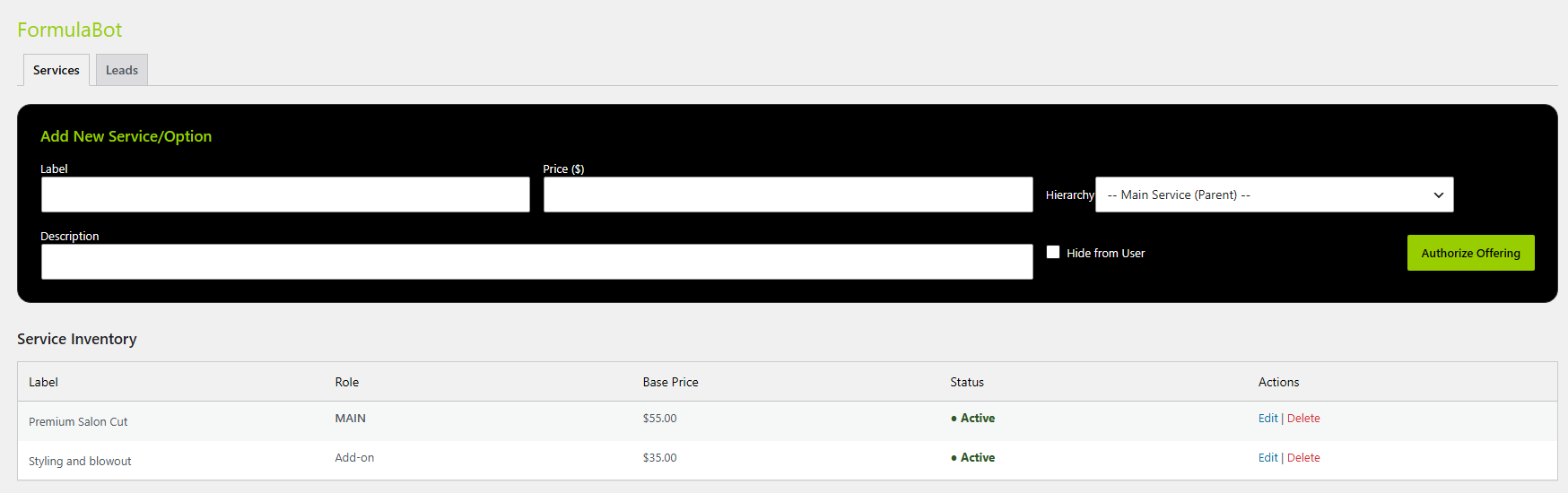
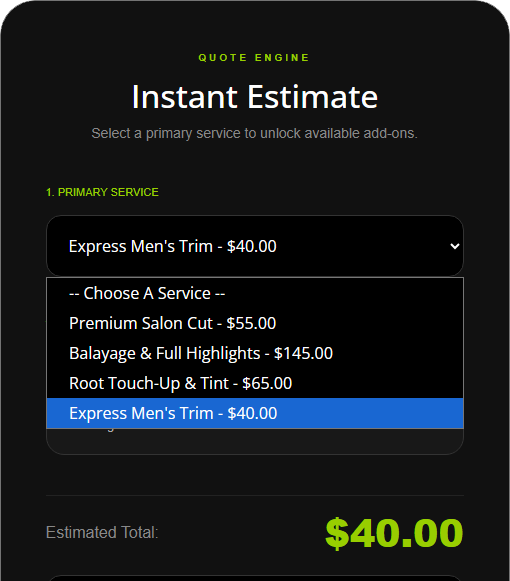
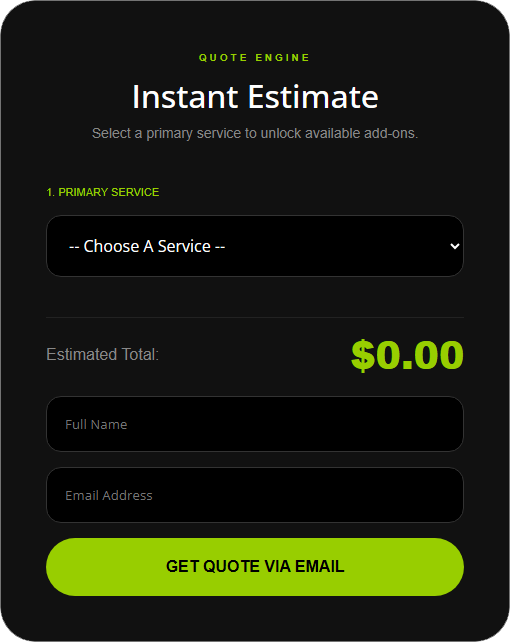
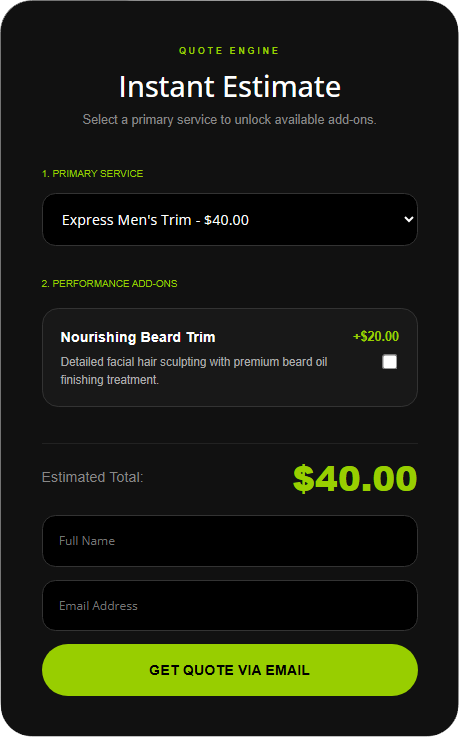
FormulaBot is a Divi 5 calculation module. You set the formula brains in admin; the module renders nested services or product bundles choices on the layout and computes on the front end. Leads are exportable so the quote request does not die in an email thread.
Solo businesses answer pricing on the page. Agencies sell the calculator as part of the build — nested services, a clean quote UI, email when someone requests a quote.
You get front-end compute in a Divi module, a notice every quote request, exportable leads, and math that belongs in the design — not a bolted-on form skin.
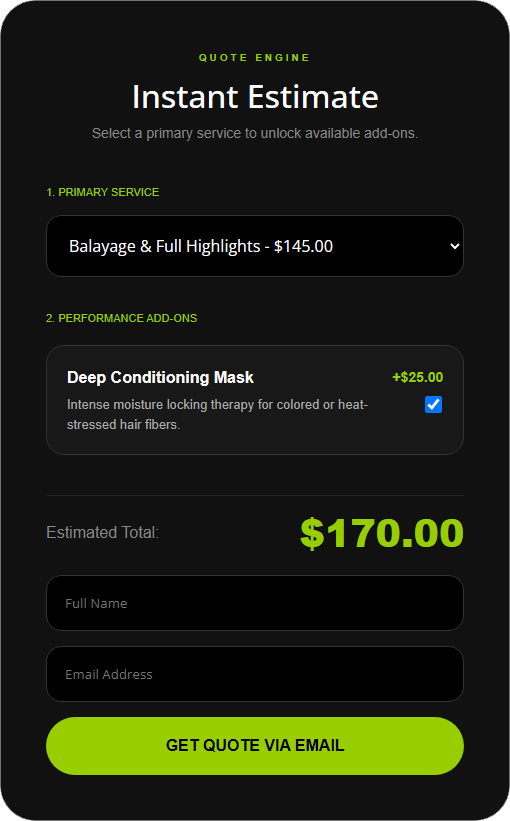
Secure coupon logging and off-site affiliate link management.
Coupons and affiliate-style deal links scatter across forty modules. End dates drift. Click data lives somewhere else — or nowhere useful.
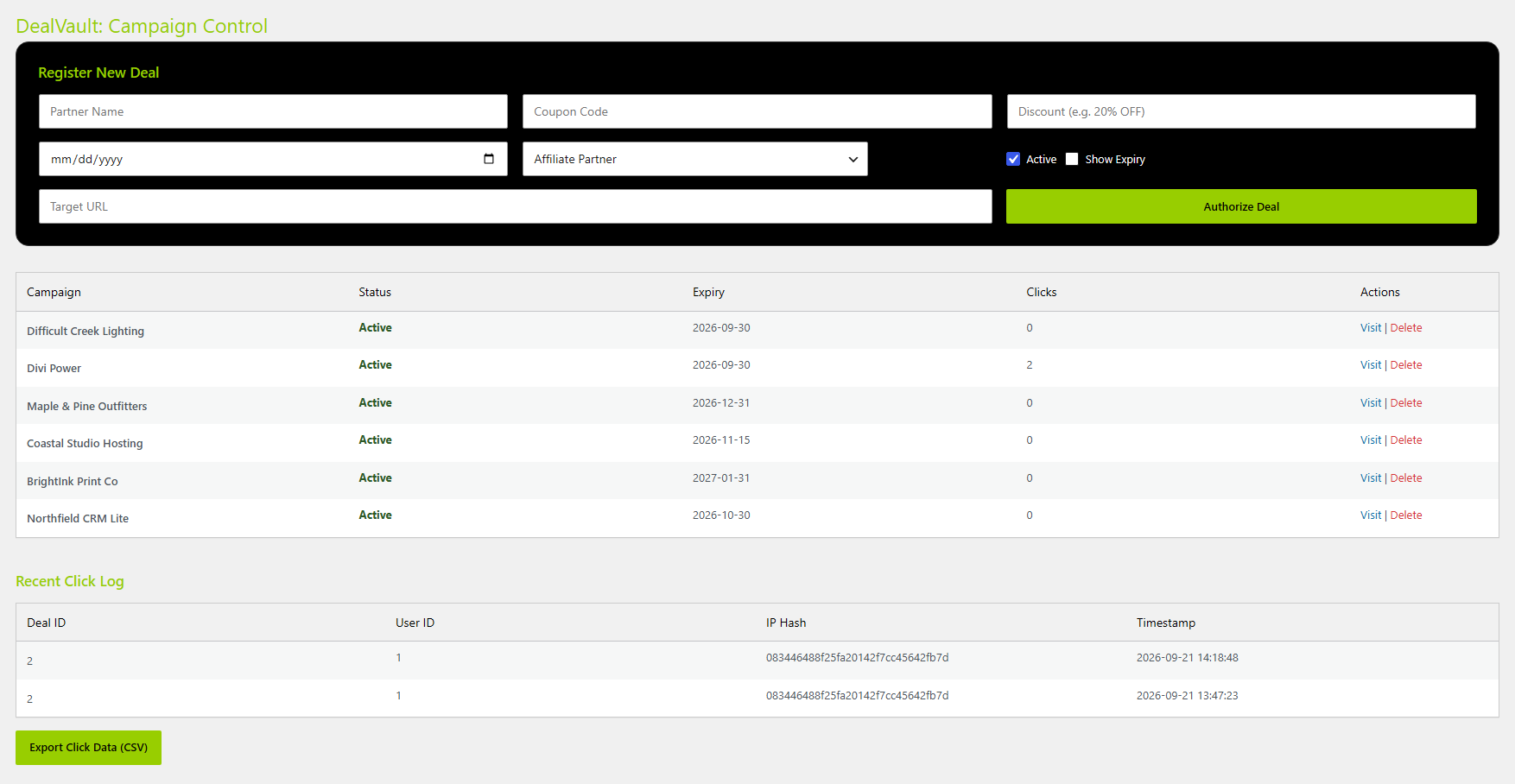
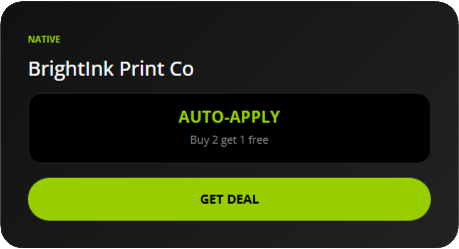
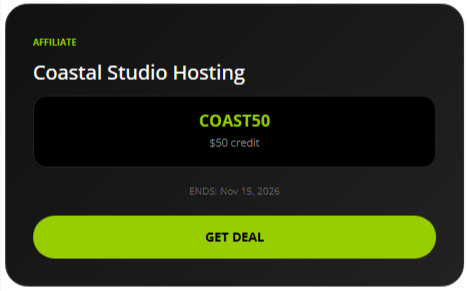
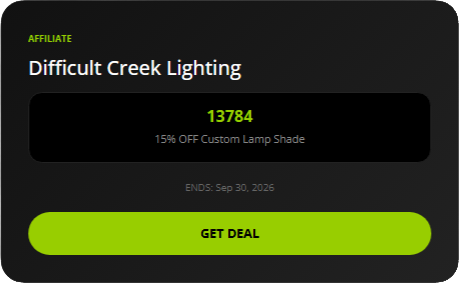
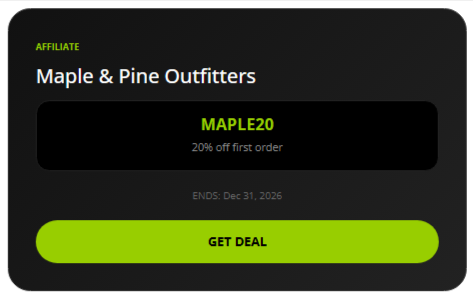
DealVault is a local vault for deals and coupons, with a Divi 5 module on the page. Track clicks without collecting buyer PII off-site. Export CSV that leads with deal names so you can compare what people actually click.
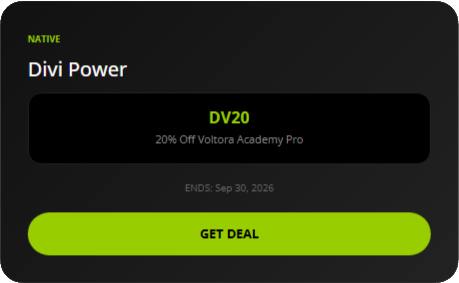
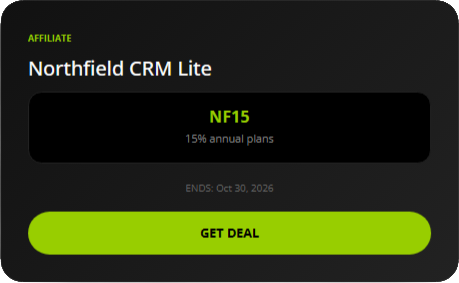
On-site coupons or off-site deal links, with or without an end date on the display. One place for offers instead of hunting modules.
You get local deals / coupons, click tracking that stays with you (not buyer PII), and CSV exports headed by deal names. Great for A/B testing!
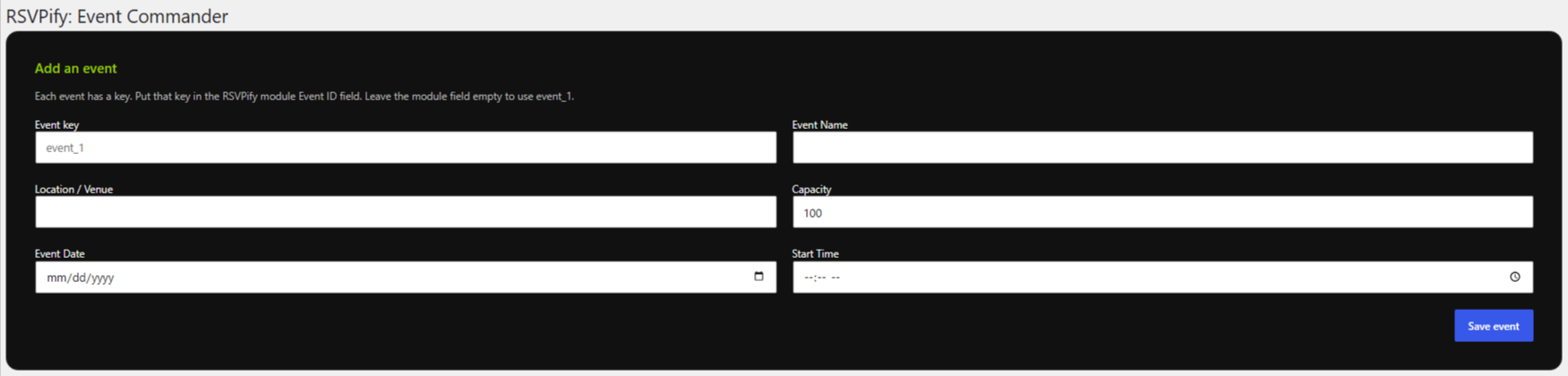
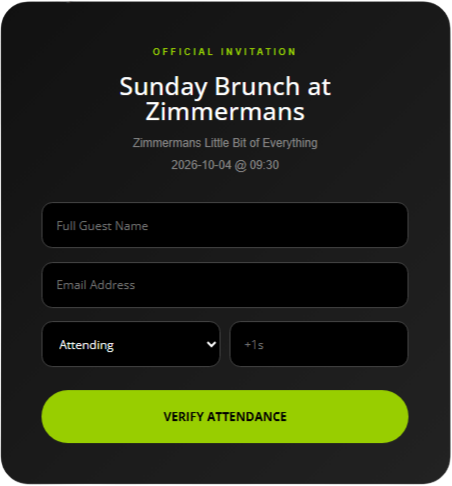
Events and attendees on this WordPress Divi 5 site
Heavy event stacks pull guest data into another product and another script. For many sites you just need: create the event, collect RSVPs, show it on the page, export the list.
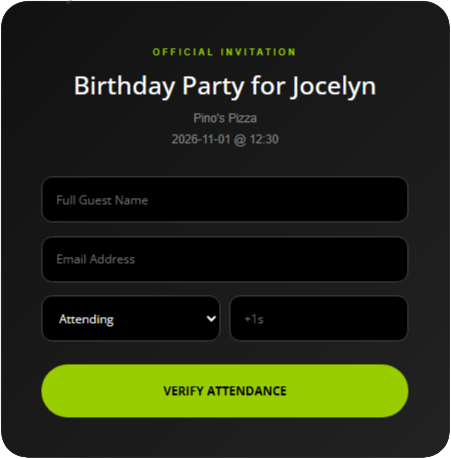
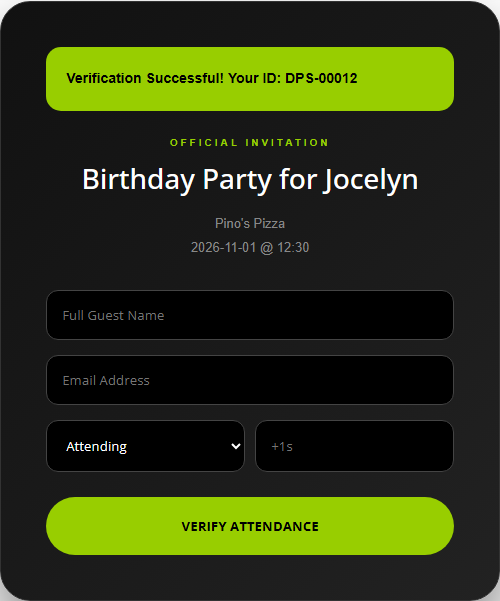
RSVPify keeps events and attendees in WordPress. One Divi 5 module per event on the layout. CSV export when you need the guest list for the door or the follow-up.
Stop chasing RSVPs through email threads when the list can live next to the site you already run.
You get local events + attendees, CSV export, and one module per event.


Specialty
Scan a barcode. Read the ingredients. Full transparency.
Package type is tiny. Customers want ingredients and clear notices — allergen, GMO, aspartame — without squinting or installing a separate app.
LabelWise is a Divi 5 module: camera authorization, scan a standard barcode, pull public food data (Open Food Facts–style), and show ingredient text large on screen with notices derived from that ingredient data.
You get front-end barcode scan (no separate app), readable ingredient text, and notices from ingredient data — not an FDA database claim. Works on any device with a camera.
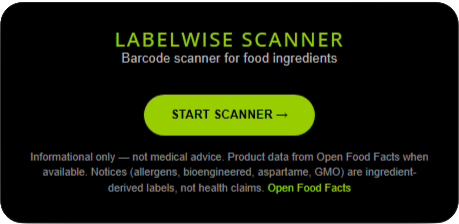
LabelWise module before the scanner has been activated
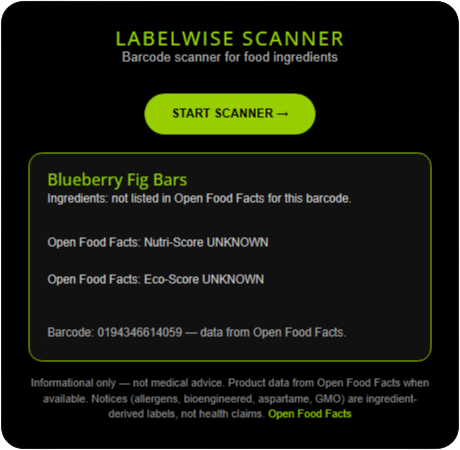
LabelWise results - product not found in Open Food Facts
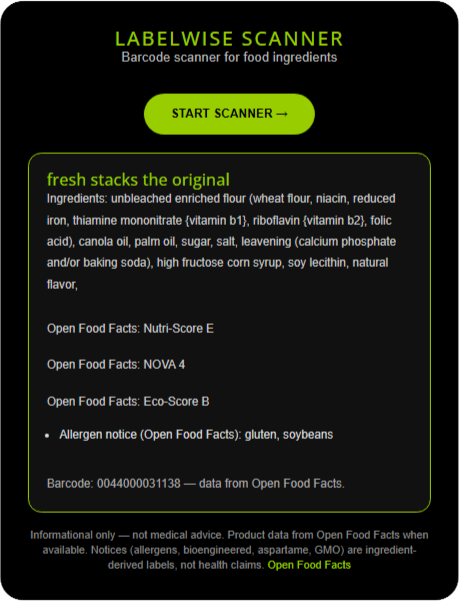
LabelWise results - food item found in Open Food Facts, with its information
Choose A Set
The Agency Admin Deck
Best for Developers & Freelancers Protecting Client Sites
White-glove frontend content vaults
Visual template conflict resolver
Granular per-card design filters
Local, physical layout staging deck
On-page visual compliance grid
Staff see forms; managers see data
The Conversion Deck
Lightning-fast CSV data importer
No-code interactive quote builder
Coupon or affiliate link logging
Native high-velocity event registration
Camera-authorized phone barcode scanner
Route CSV rows into lead modules
Complete Divi 5 Suite: PowerTools